 SoulFed
Prayer before the scroll
How to block apps until you pray
With SoulFed, you choose the apps that distract you and set a prayer schedule. At those checkpoints, your selected apps pause while you read Scripture and pray.
SoulFed is a free Christian app blocker for iPhone and Android. Grace access is always available when you need your apps sooner.
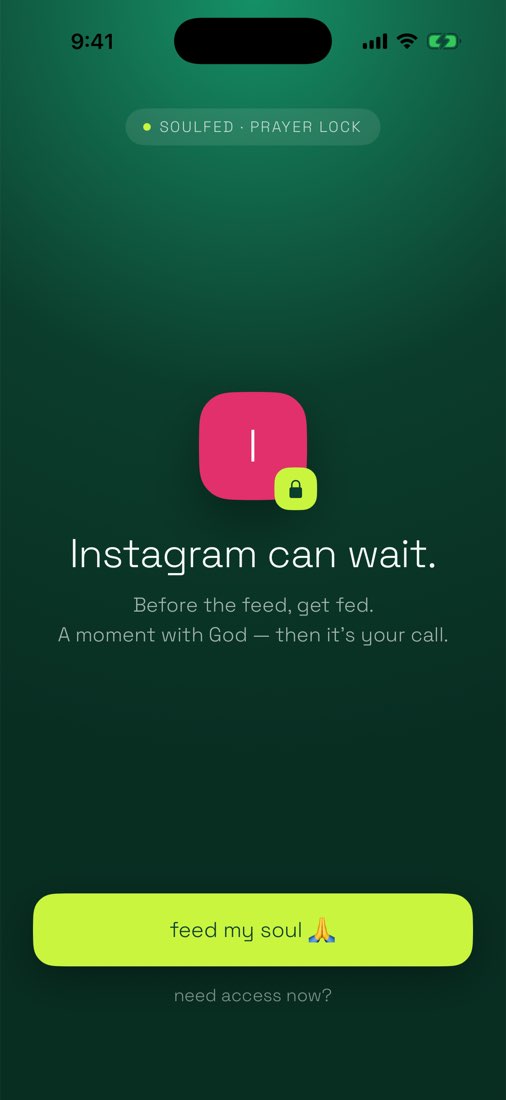
Set up prayer pauses on iPhone
SoulFed uses Apple’s Screen Time to pause the apps you select.
- Install SoulFed. Download the free app from the App Store and follow the setup screens.
- Connect Screen Time. When SoulFed asks, continue to Screen Time and approve access in Apple’s prompt. Apple keeps your app selection private.
- Choose your distracting apps. Tap Choose apps and select the apps you want to pause, such as Instagram or TikTok.
- Choose a time and days. Set a checkpoint that fits your day. You can adjust the schedule later in Pause Times.
When a checkpoint is due, opening a selected app brings up the prayer pause. Complete the Scripture and prayer flow to open your apps until the next checkpoint.
Set up prayer pauses on Android
On Android, SoulFed uses Accessibility access to notice when a selected app opens and show the prayer pause.
- Install SoulFed. Get the free app from Google Play and follow the setup screens.
- Review the app-pausing permission. Read SoulFed’s explanation, then open SoulFed in Android’s Accessibility settings and turn it on.
- Choose your distracting apps. Select the apps you want SoulFed to pause.
- Choose a time and days. Confirm your prayer schedule. You can change it later in Pause Times.
If SoulFed shows App pauses need reconnecting, use Reconnect app pauses and follow the Accessibility instructions. Your saved schedule stays in place.
What happens before your apps open?
The pause gives you a passage of Scripture, a short reflection, and space to pray. You can use the prayer on screen, pray in your own words, or spend the time in silent prayer.
Completing the prayer opens your selected apps until the next checkpoint. Scripture, reflections, and prayers are bundled in the app, so you can read and pray offline.
Need an app before you finish?
Grace access is always available. Use it to open your apps for a few minutes when you need them urgently. You can return to Scripture and prayer when you have room.
Missing a day leaves the growth you have already made intact. Your vine keeps its leaves and fruit.
If a selected app is not pausing
Check that you have selected an app, enabled app pausing, and reached a scheduled checkpoint on a selected day. On iPhone, check the Screen Time connection. On Android, check that SoulFed’s Accessibility access is still on.
Once you complete a checkpoint, your apps stay open until the next one. They do not need another prayer every time you open them.
Make room for one daily prayer
SoulFed is free to use. No subscription required. Start with the apps you reach for most, and choose a prayer time you can return to.